Again, I uploaded the old sis vga drivers to the website where I mentioned in my previous post.
Please note, the driver sis-vga-ubuntu-7.10_2.4-0_i386.deb and sis-vga-satux1.4.run contain my old 3d driver.
2011-02-11


2011-02-09
SiS Linux Driver
I uploaded the sis linux 2d driver.
You can download it from here.
Before using the driver, please reduce your screen resolution to standard vesa mode ( maybe 1024x768 or 800x600). Then just copy sis_drv.* to /usr/lib/xorg/modules/drivers/ ,and reboot the system.
If your os is newer than ubuntu 10.04, don't use any xorg.conf.
If you need to use xorg.conf, or your panel resolution is 1366x768 or 1360x768,
just add this to your xorg.conf.
Section "Device"
     Identifier "Configured Video Device"
     Driver "sis"
     Option "UseTiming1366" "yes"
EndSection
You can download it from here.
Before using the driver, please reduce your screen resolution to standard vesa mode ( maybe 1024x768 or 800x600). Then just copy sis_drv.* to /usr/lib/xorg/modules/drivers/ ,and reboot the system.
If your os is newer than ubuntu 10.04, don't use any xorg.conf.
If you need to use xorg.conf, or your panel resolution is 1366x768 or 1360x768,
just add this to your xorg.conf.
Section "Device"
Identifier "Configured Video Device"
Driver "sis"
Option "UseTiming1366" "yes"
EndSection
2010-05-18
2010-04-27
Release SiS Linux VGA Driver For Ubuntu 10.04
I've released VGA driver (Only 2D Part) for Ubuntu 10.04 today.
Here is a screenshot with resolution 1680x1050.
Also disable video overlay (in order to take a screenshot) to play video and running glxgears at the same time.

Here is a screenshot with resolution 1680x1050.
Also disable video overlay (in order to take a screenshot) to play video and running glxgears at the same time.

2008-07-19
EnvyNG
自從線上更新 ubuntu 至 8.04 之後
nVidia 的顯卡就抓不到
裝了 driver 也沒有用
一直到今天才有空去弄
裝了 EnvyNG
可以幫助安裝 nVidia 跟 ATI 的 driver
$ sudo apt-get install envyng-*
Ctrl + Alt + F1 到 tty1
$ sudo /etc/init.d/gdm stop
$ sudo envyng -t
然後 Uninstall nvidia driver
再 Install nvidia driver
reboot 之後
$ glxgears -info
看到 nVidia driver 起來了!!
之後 3d desktop 也可以打開了!!
nVidia 的顯卡就抓不到
裝了 driver 也沒有用
一直到今天才有空去弄
裝了 EnvyNG
可以幫助安裝 nVidia 跟 ATI 的 driver
$ sudo apt-get install envyng-*
Ctrl + Alt + F1 到 tty1
$ sudo /etc/init.d/gdm stop
$ sudo envyng -t
然後 Uninstall nvidia driver
再 Install nvidia driver
reboot 之後
$ glxgears -info
看到 nVidia driver 起來了!!
之後 3d desktop 也可以打開了!!
2008-06-15
Firefox Download Day
Firefox 3.0 will release in June 17, 2008. Join Firefox Download Day together to set the world record for most software downloads in 24 hours.
2008-02-19
SiS Linux 3D Driver Supported Distributions
My 3d driver ( for SiS 671 / SiS 672 ) can work on following distributions:
Ubuntu 7.04
Ubuntu 7.10
Mandriva 2007
Mandriva 2008
Satux 1.4
Ubuntu 7.04
Ubuntu 7.10
Mandriva 2007
Mandriva 2008
Satux 1.4
2007-11-11
Release SiS 671/SiS 672 Linux 3D Driver For Ubuntu 7.04
I've released 3D driver for Ubuntu 7.04 this week. Now our 3d driver can work on Mandriva 2007 and Ubuntu 7.04.
2007-09-06
Release SiS671/SiS672 Linux 3D Driver Final Version
I've finally released SiS671/SiS672 linux 3D driver Final version (MDV 2007) to RCT department two months ago.
2007-07-24
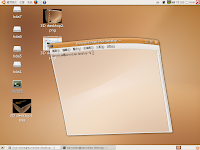
Linux Eye Candy (Ubuntu 7.04 + nVidia)
I try to enable 3D desktop effect on Ubuntu 7.04 (use nVidia driver).
It is so amazing!!
I also try to run 3D applications. Wow!! The FPS of glxgears is about 2400!!!
Here are some screenshots.



It is so amazing!!
I also try to run 3D applications. Wow!! The FPS of glxgears is about 2400!!!
Here are some screenshots.


2007-04-27
Release SiS671 Linux 3D Driver Beta version
I've finally released SiS 671 linux 3d driver beta version today. I can't believe that I spent only 4 months to get it done all by my self!! I hope that RCT won't report too much bugs to me...
Thank helps from Dennis and windows driver RD team.
Thank helps from Dennis and windows driver RD team.
訂閱:
文章 (Atom)